
C A L L - N U R T U R E

Please Wait For Loading

A look inside Field Notes

Field Notes is the job book that lives on your phone. Every enquiry, every site visit, every measurement and every price you quoted, in one list you can read in full sun.

Here is the whole thing, screen by screen, from a working demo of a made-up contractor called Bog Iron, in the order you would meet them.
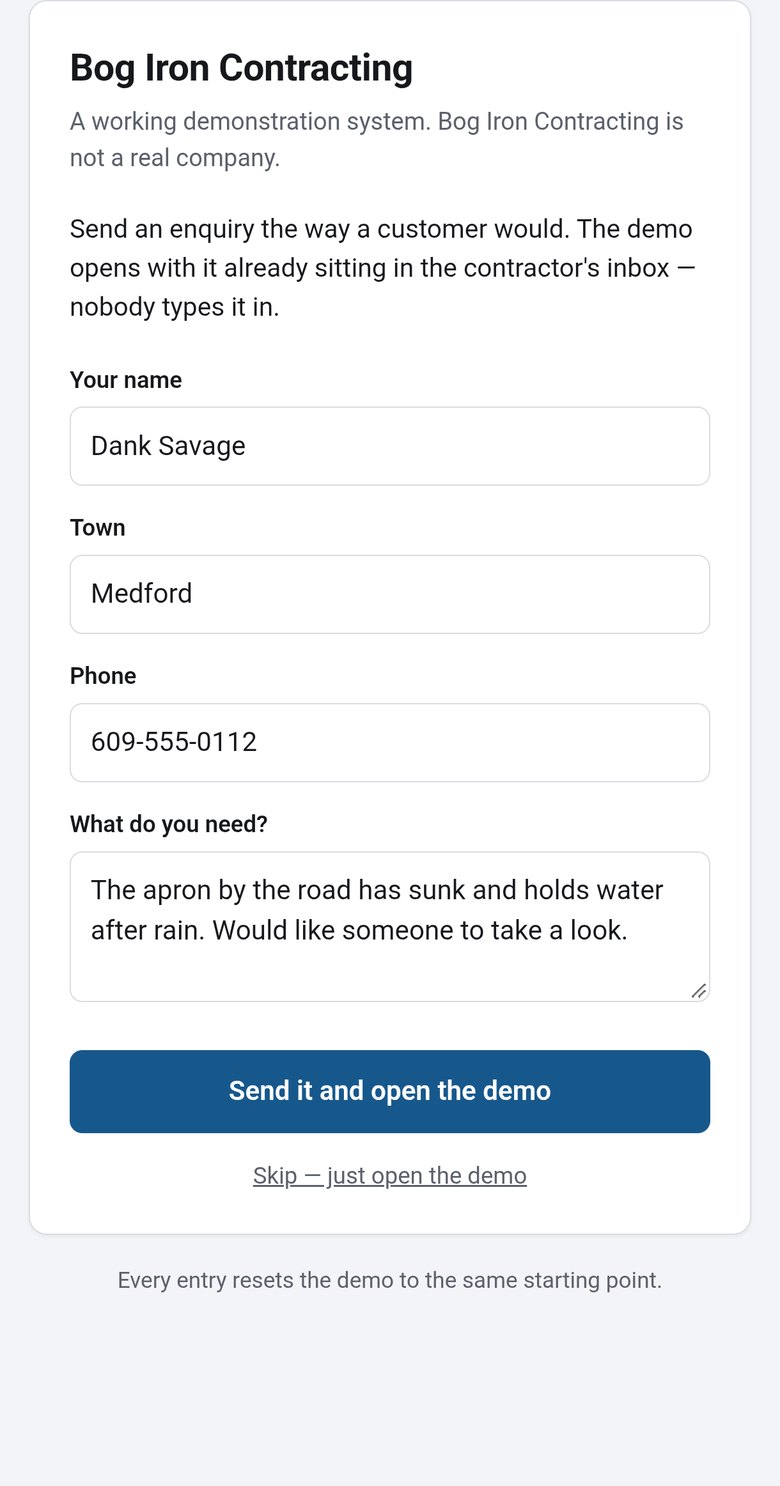

The enquiry form a customer fills in

1How a lead arrives

A customer fills in the form on your website. It is sitting in the app before they have put the phone down.

Next →

The Today screen, scrollable from leads through to the roadmap

2Open it in the morning

Scroll this one. Leads waiting, the week so far, the chase list of who has gone quiet, fuel and receipts, down to what is coming next. All of it on one screen in your hand.

← BackNext →

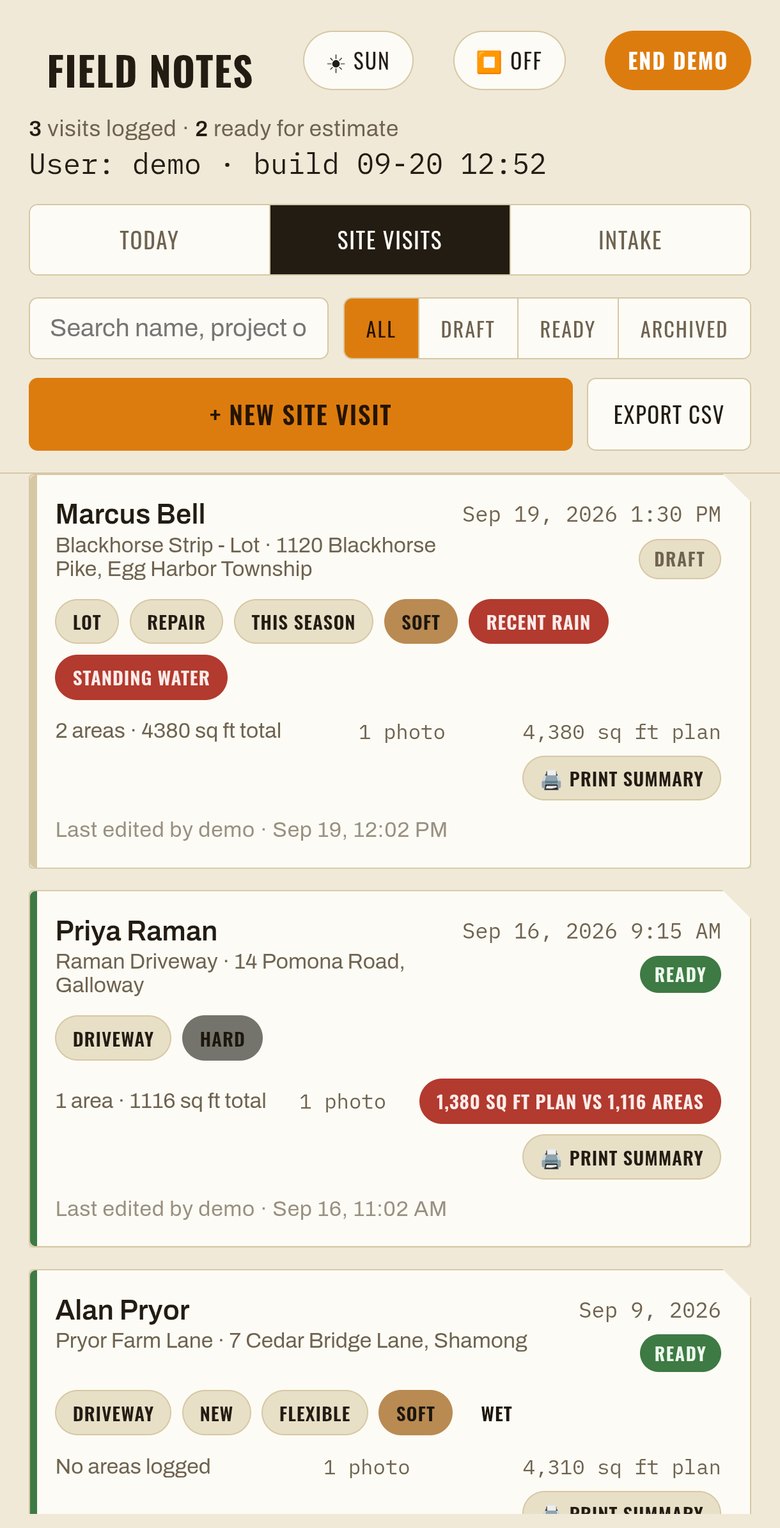
The site visits list

3The jobs you have been out to

Ground conditions, square footage, and whether it is ready to price.

← BackNext →

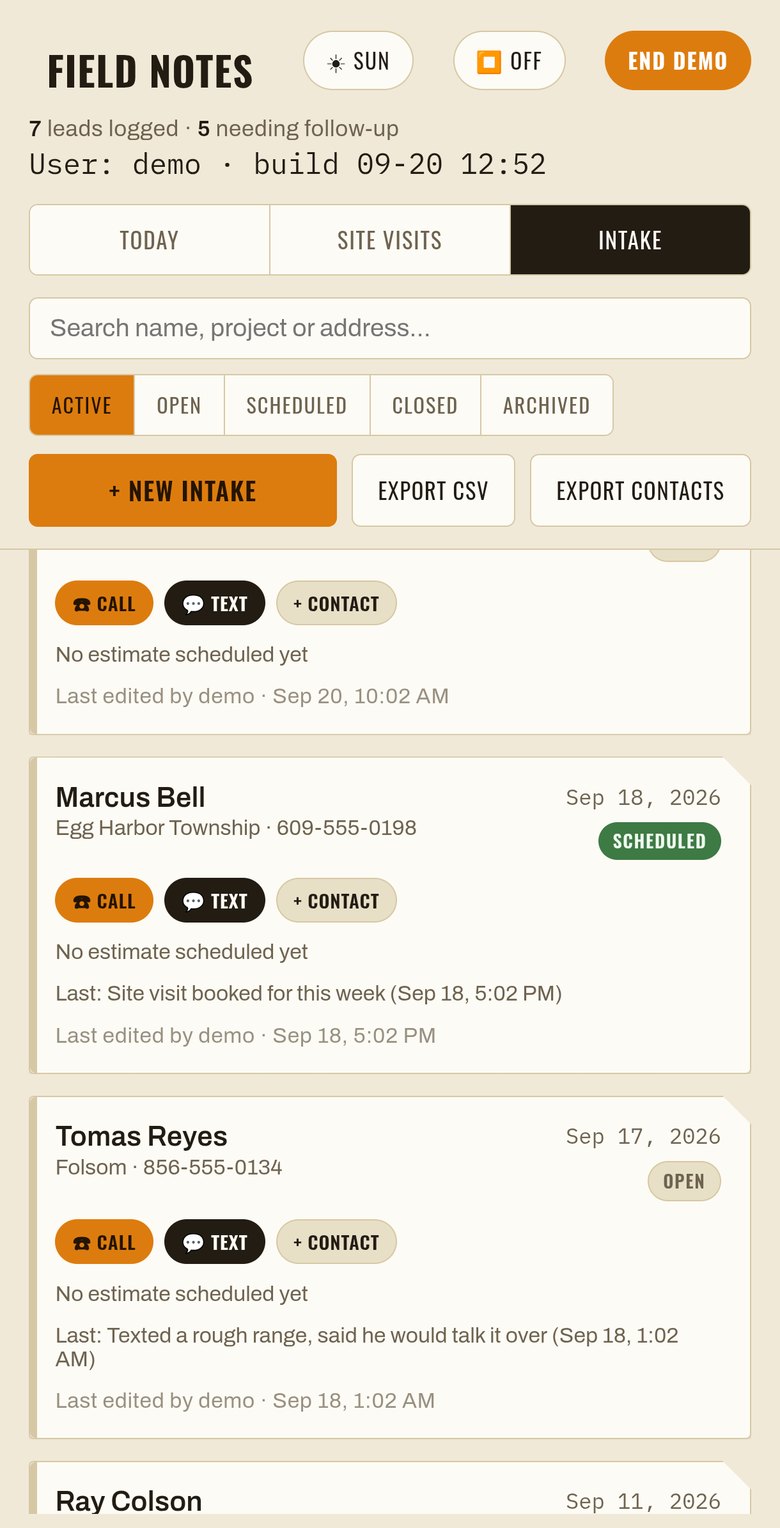
The intake list of every enquiry

4Every enquiry in one list

Nothing lives in a text thread or on a scrap of paper.

← BackNext →

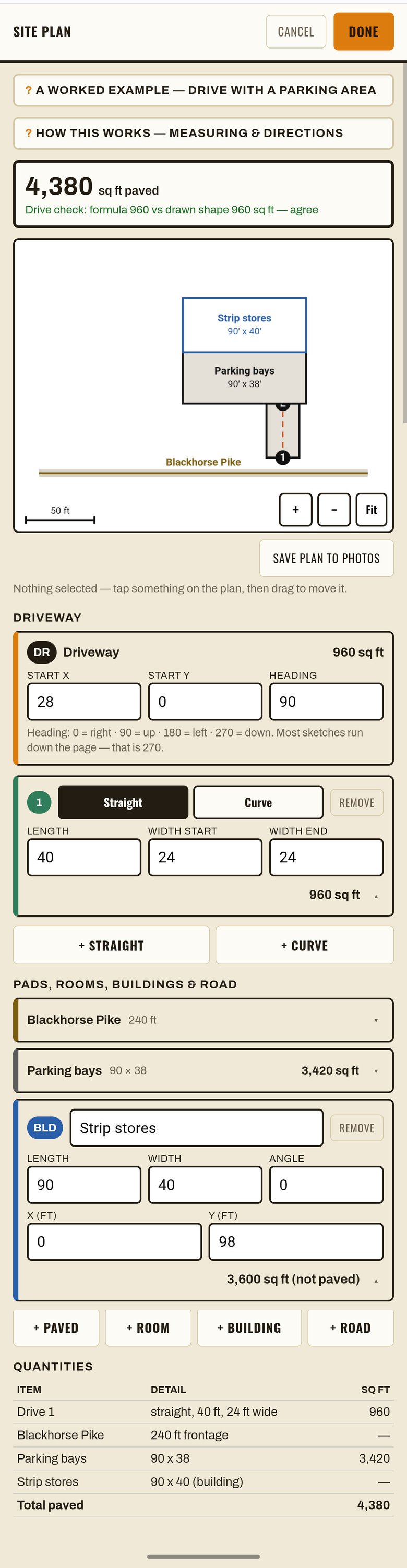
A site plan drawn to scale with the square footage calculated

5Draw the job to scale

Runs, pads and buildings. The square footage works itself out, and the check line underneath has to agree with itself.

On a computer: Light · Dark

← BackNext →

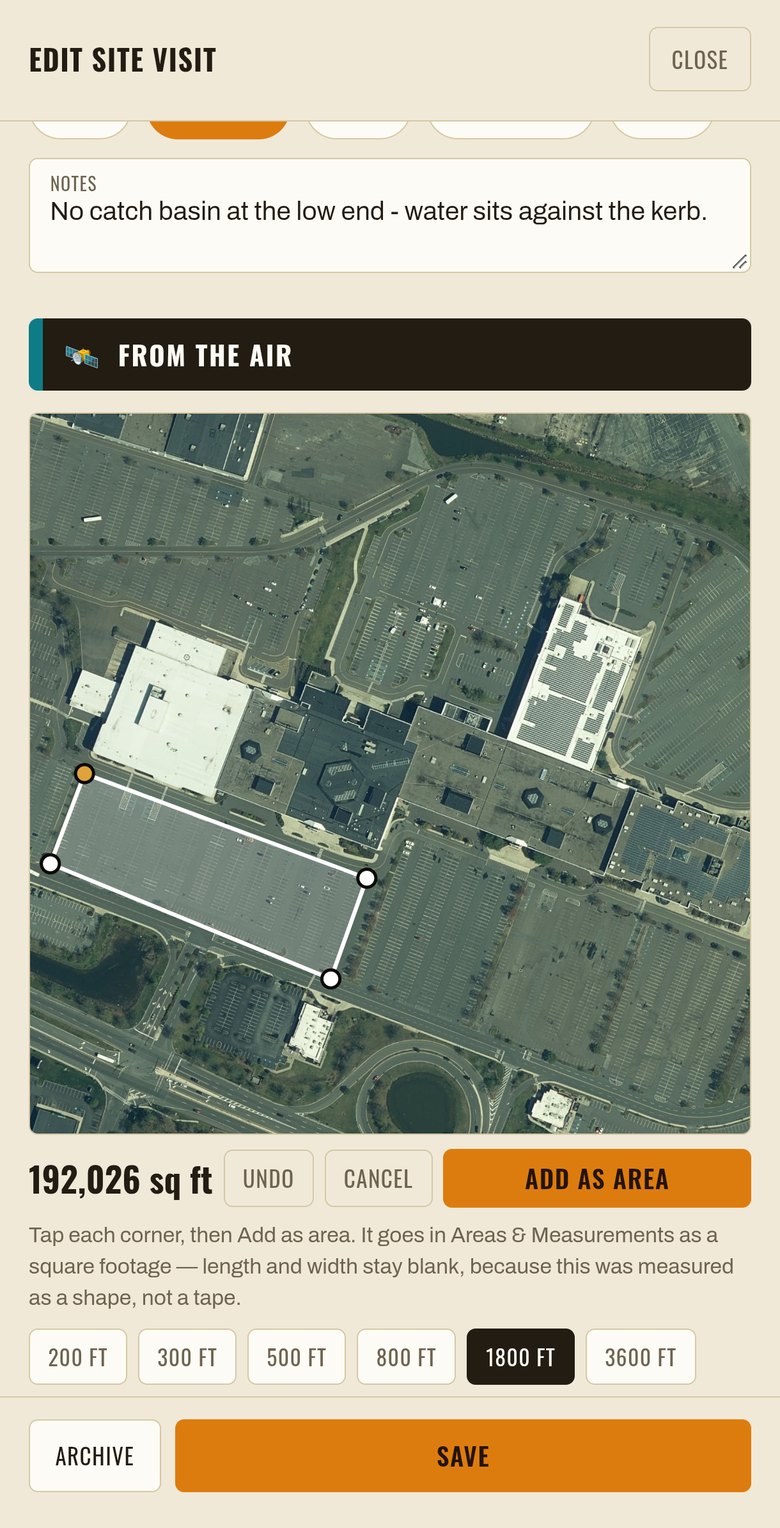
Measuring on the New Jersey aerial photograph

6Measure before you leave the driveway

For New Jersey properties, pull up the state aerial photo and measure on it. One pixel is one foot.

← BackNext →

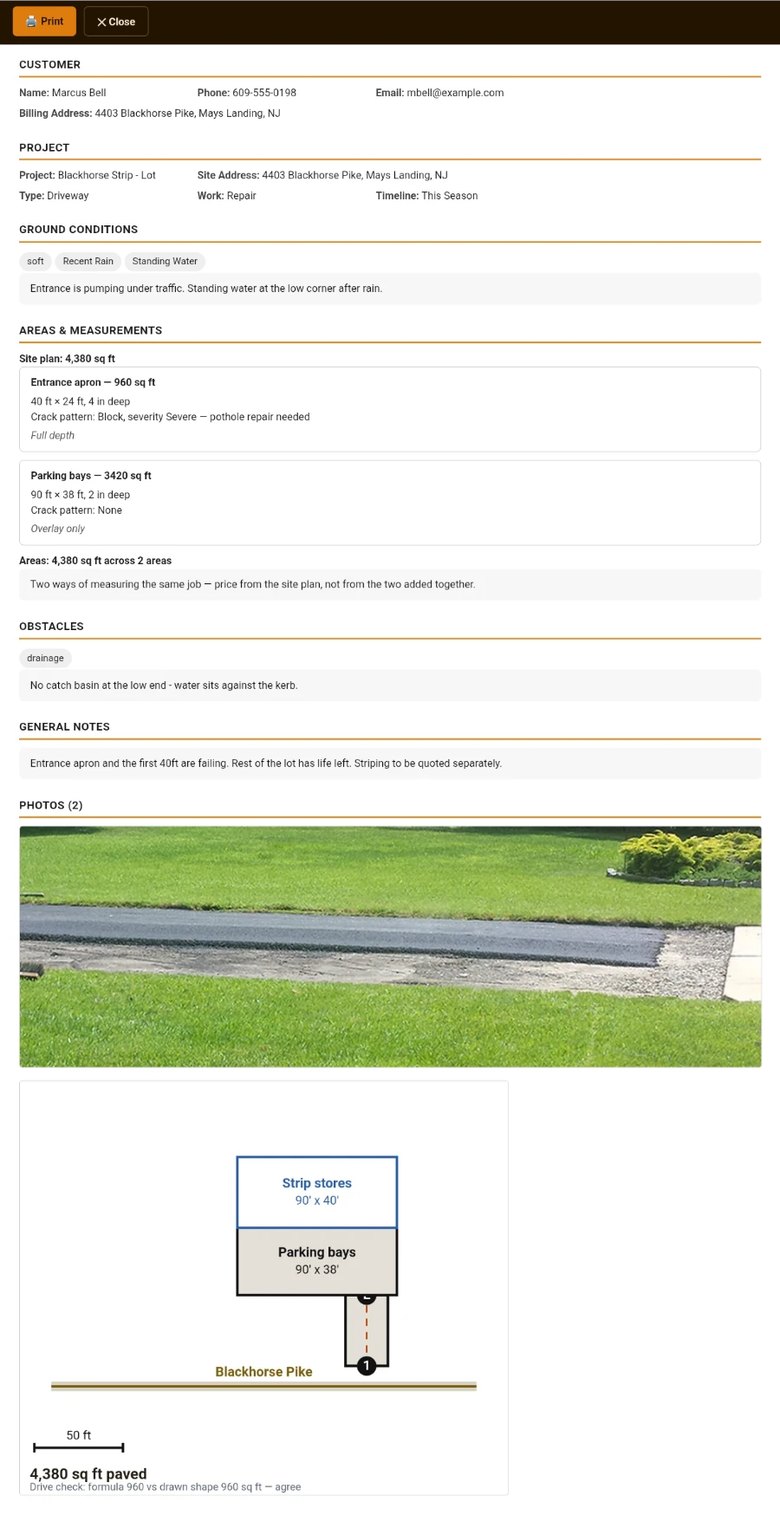
The printed job summary the customer receives

7What the customer gets

One page with the measurements, the conditions, your photos and the plan. Ready to print or send.

On a computer: Full page

← BackStart again

One screen at a time. Use the numbers, or swipe the panel sideways.

A closer look

Every screen at full size. Open any one of them to read the detail.